Why Your Crew Counts as Non-Participants
Part 107 doesn't allow flight over a person who isn't directly participating in the operation. The FAA reads that narrowly: the remote pilot in command, the person on the controls, any visual observer and anyone else needed for the flight's safety. A labourer who agrees to the flight, or who needs to work in that area, isn't a participant. A crew member acting as your visual observer is.
Builders asked for a different answer when the rule was written. In 2016, Associated Builders and Contractors (ABC) proposed lifting the restriction on construction sites where people had been told about the flights, wore hard hats and had an orientation before entering. The FAA kept its narrow reading and said a pilot who wants to fly over non-participants "must apply for a waiver".
Since 2021 the rule has a route that fits a notified site: Category 3. It allows flight over people inside a closed- or restricted-access site where everyone is on notice that a drone may fly over them. The notice alone isn't enough. The aircraft itself has to be eligible for Category 3, with the manufacturer's declaration of compliance accepted by the FAA and a label on the aircraft.
Either way, the pilot weighs the aircraft's course, speed and trajectory, including a possible failure, to judge whether it would pass over or strike someone not involved. Regulation is the barrier to drone use that ABC members name most often: 53.5% of those who answered in its 2026 report.
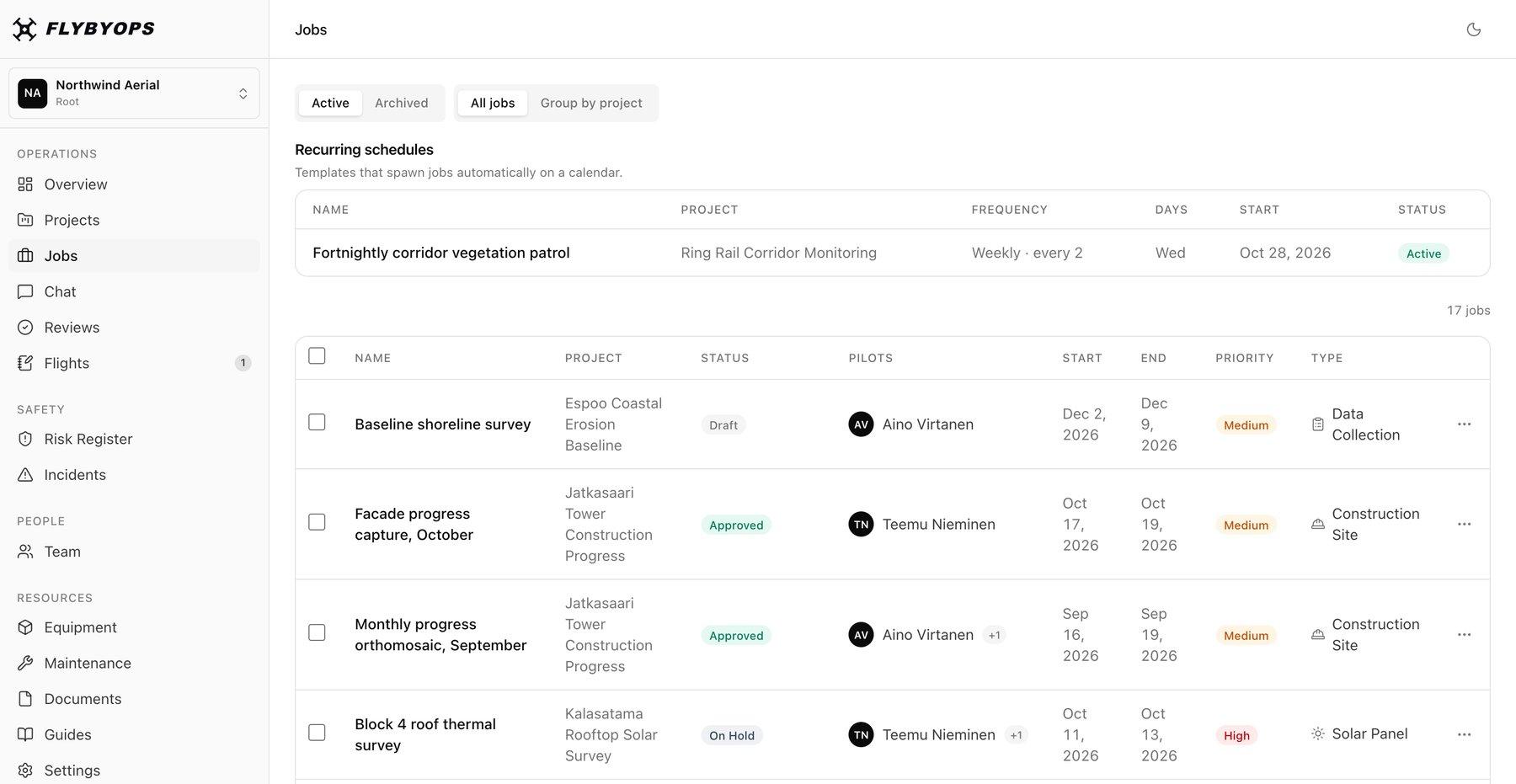
Three Questions a Site Manager Asks After a Flight
| Question | Where FlybyOps holds the answer | Why it matters on site |
|---|---|---|
| Who was under the flight? | Where FlybyOps holds the answerThe site plan, permit and risk assessment attached to the flight plan; supporting crew and location on the flight log; the site's risks on the register, each with an owner and a review date | Why it matters on siteA site crew moves all day, so the answer starts with the plan made before take-off |
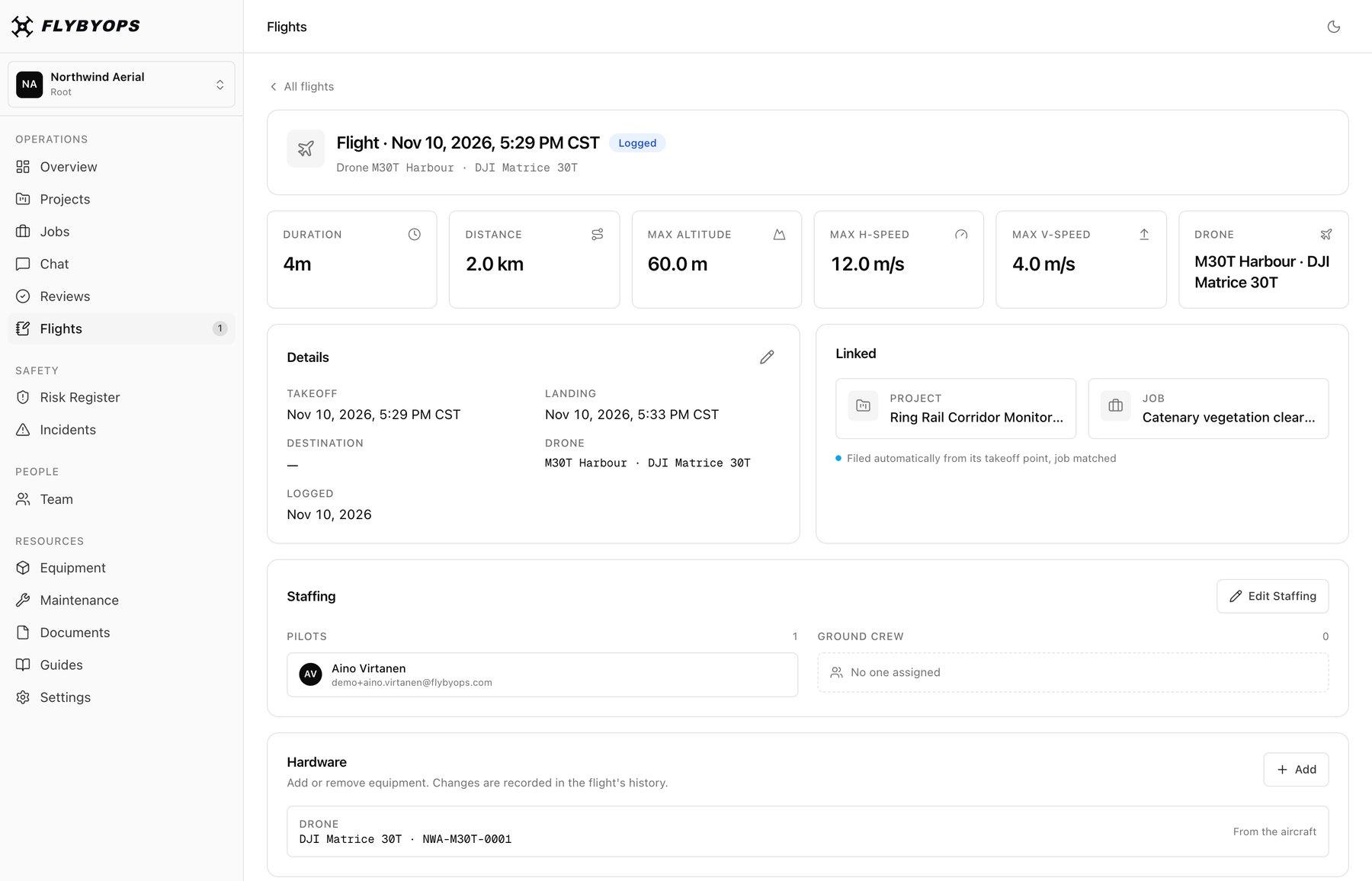
| Could this aircraft fly over the crew? | Where FlybyOps holds the answerThe aircraft on the flight log is the one in your equipment registry, matched by serial number when Flight Sync files a DJI flight; a copy of its declaration listing kept in documents, with version history | Why it matters on siteEligibility belongs to the aircraft, so a drone swapped on the day can change the answer |
| Which survey is this, and on which kit? | Where FlybyOps holds the answerRecurring site surveys set up with predefined flight plans and assigned equipment; mapping kit managed across sites and contractor teams, with fewer equipment conflicts; and each aircraft's flight hours and maintenance | Why it matters on siteLong-term developments get flown again and again, often by different crews on shared aircraft |
FlybyOps keeps the evidence. Meeting each rule stays with the operator.
Frequently Asked Questions
- Does FlybyOps make the progress map?
- No. Your mapping software turns flights into maps, models and progress reports, and FlybyOps keeps the record of how each of those flights was run. In Associated Builders and Contractors' 2026 report, 97.1% of members who fly named DJI as their primary drone. Flight Sync logs flights automatically from DJI Pilot 2 on the M300 RTK, M350 RTK, M400, M30 and M30T, Mavic 3 Enterprise and Thermal, and Matrice 4E and 4T. Flights on other DJI drones, such as the Mavic 3 Pro, Air or Mini, come in as an uploaded DJI flight log, and flights on other makes are entered by hand.
- Does Part 107 require a flight log?
- No. It does require the remote pilot to show the FAA, on request, any record the rules require to be kept, and a site owner or insurer may ask to see more. Months later, a flight log is what shows which pilot flew which aircraft over which site, and what was attached to the plan. A FlybyOps flight record holds all of that, plus the battery, duration, weather, mission objective and any custom fields you add.
- Can a drone subcontractor log flights in our workspace?
- Yes. Give each development its own project. The subcontractor's lead holds the Operations Lead role and puts their own pilots and ground crew on jobs in the projects you assign them. They don't see your other projects, which matters when a development is under a confidentiality agreement. When the contract ends, an admin removes their people, and the flights they logged keep their names.
- Which plan does a construction programme need?
- A programme that brings in drone subcontractors usually wants Business, from $2,500 per workspace per month. It adds contractor access controls, flight approvals, pilot currency tracking and anonymous incident reporting. Professional is $999 per workspace per month for up to 15 users. Every plan starts with a 14-day free trial with full Professional access and no credit card.